Onboarding Agent for Product Setup, Guidance, and Activation

Guide new users through setup, answer onboarding questions, share the right resources, and help customers reach value faster without waiting for support.
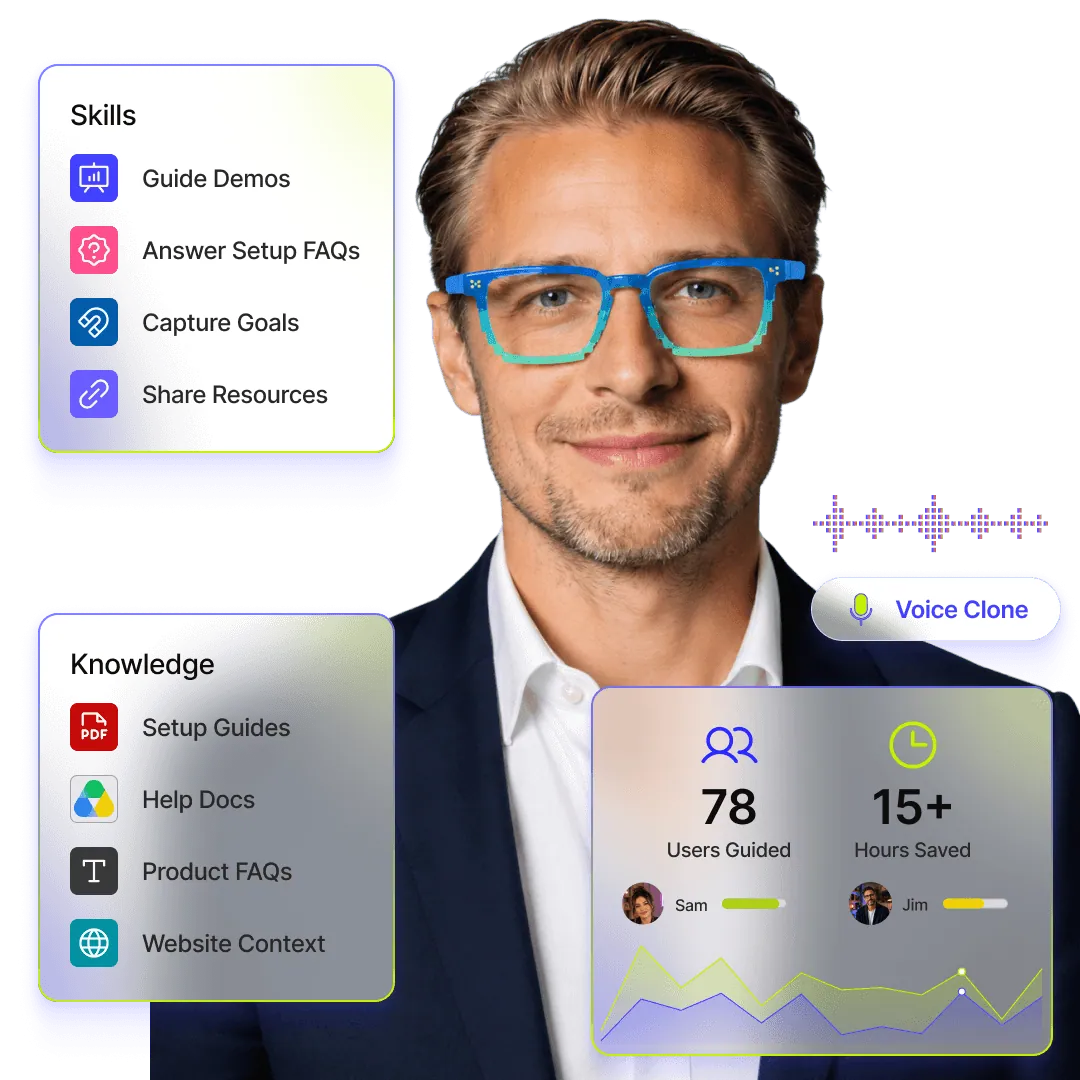
Onboarding Agent hero image showing product setup guidance, demos, setup FAQs, resource sharing, and user activation support.

Onboarding Agent for Product Setup, Guidance, and Activation

Guide new users through setup, answer onboarding questions, share the right resources, and help customers reach value faster without waiting for support.

Onboarding Agent hero image showing product setup guidance, demos, setup FAQs, resource sharing, and user activation support.

Onboarding Agent for Product Setup, Guidance, and Activation

Guide new users through setup, answer onboarding questions, share the right resources, and help customers reach value faster without waiting for support.

Onboarding Agent hero image showing product setup guidance, demos, setup FAQs, resource sharing, and user activation support.

What the Onboarding Agent Can Do

What the Onboarding Agent Can Do

Guided Product Setup

Walk new users through setup steps so they know what to do after signup and how to complete the basics.

Guided Product Setup

Walk new users through setup steps so they know what to do after signup and how to complete the basics.

Interactive Product Demos

Explain product flows, present key features, answer questions, and help users understand how the product works using presentation demos.

Interactive Product Demos

Explain product flows, present key features, answer questions, and help users understand how the product works using presentation demos.

Guided Setup Walkthroughs

Guide users through onboarding material, help docs, videos, slides, checklists, and setup resources based on what they need.

Guided Setup Walkthroughs

Guide users through onboarding material, help docs, videos, slides, checklists, and setup resources based on what they need.

Onboarding Question Answers

Answer common onboarding questions instantly, from account setup and product basics to next steps and best practices.

Onboarding Question Answers

Answer common onboarding questions instantly, from account setup and product basics to next steps and best practices.

Activation Path Guidance

Help users move toward important activation moments by suggesting the right actions, features, and setup paths.

Activation Path Guidance

Help users move toward important activation moments by suggesting the right actions, features, and setup paths.

Feature Education

Explain what each feature does, when to use it, and how it fits into the user’s goal or workflow.

Feature Education

Explain what each feature does, when to use it, and how it fits into the user’s goal or workflow.

Resource Sharing

Share the right help docs, guides, PDFs, links, videos, tutorials, or product resources during the conversation.

Resource Sharing

Share the right help docs, guides, PDFs, links, videos, tutorials, or product resources during the conversation.

24/7 Onboarding Support

Give new users onboarding help anytime, even outside support hours, customer success availability, or scheduled onboarding calls.

24/7 Onboarding Support

Give new users onboarding help anytime, even outside support hours, customer success availability, or scheduled onboarding calls.

BENEFITS

Help Customers Get Started With Confidence

Reduce onboarding friction, guide users through setup, and help every customer understand what to do next without depending on manual support.

Faster Time to Value

New users can understand the product, complete setup, and reach their first meaningful outcome faster.

Faster Time to Value

New users can understand the product, complete setup, and reach their first meaningful outcome faster.

Fewer Onboarding Drop-Offs

Users are less likely to get stuck, confused, or leave the product because they do not know the next step.

Fewer Onboarding Drop-Offs

Users are less likely to get stuck, confused, or leave the product because they do not know the next step.

Lower Support Load

Support and success teams spend less time answering the same setup, feature, and first-use questions again and again.

Lower Support Load

Support and success teams spend less time answering the same setup, feature, and first-use questions again and again.

Better Product Adoption

Customers understand more features, explore the right workflows, and start using the product in ways that match their goals.

Better Product Adoption

Customers understand more features, explore the right workflows, and start using the product in ways that match their goals.

More Confident Customers

Users feel guided from the beginning, which makes the product feel easier, clearer, and more approachable.

More Confident Customers

Users feel guided from the beginning, which makes the product feel easier, clearer, and more approachable.

Stronger Activation Insights

Teams can see where users struggle, what questions they ask, and which parts of onboarding need improvement.

Stronger Activation Insights

Teams can see where users struggle, what questions they ask, and which parts of onboarding need improvement.

Help Users Reach Value Before They Drop Off

Use an always-available onboarding agent to answer questions, explain workflows, and remove friction during the first product experience.

Build Onboarding Agent

Launching in phases. Limited access.

Help Users Reach Value Before They Drop Off

Use an always-available onboarding agent to answer questions, explain workflows, and remove friction during the first product experience.

Build Onboarding Agent

Launching in phases. Limited access.

Help Users Reach Value Before They Drop Off

Use an always-available onboarding agent to answer questions, explain workflows, and remove friction during the first product experience.

Build Onboarding Agent

Launching in phases. Limited access.

HOW IT WORKS

2 minutes is all it takes

STEP 1

Instant twin with LinkedIn import

Start with what you already have. Import your LinkedIn profile to instantly create a structured, credible base for your Digital Twin.

STEP 2

Clone your voice and personality

Record a quick sample to clone your voice and define your personality. Your Twin should sound, act, and respond—just like you.

STEP 3

Setup your twin's knowledge

Sync your websites, PDFs, and links. Your Twin is grounded strictly in your real-world data, ensuring every answer is accurate and on-brand.

STEP 4

Ready to talk at every touchpoint

Your Intelligent Identity is ready. Share your link, embed your Twin, and let it start talking, acting, and converting while you’re off the clock.

  • Email Signatures

  • Short URL for Socials

  • Meeting Backgrounds

  • Branded QR Codes

HOW IT WORKS

2 minutes is all it takes

STEP 1

Instant twin with LinkedIn import

Start with what you already have. Import your LinkedIn profile to instantly create a structured, credible base for your Digital Twin.

STEP 2

Clone your voice and personality

Record a quick sample to clone your voice and define your personality. Your Twin should sound, act, and respond—just like you.

STEP 3

Setup your twin's knowledge

Sync your websites, PDFs, and links. Your Twin is grounded strictly in your real-world data, ensuring every answer is accurate and on-brand.

STEP 4

Ready to talk at every touchpoint

Your Intelligent Identity is ready. Share your link, embed your Twin, and let it start talking, acting, and converting while you’re off the clock.

  • Email Signatures

  • Short URL for Socials

  • Meeting Backgrounds

  • Branded QR Codes

HOW IT WORKS

2 minutes is all it takes

STEP 1

Instant twin with LinkedIn import

Start with what you already have. Import your LinkedIn profile to instantly create a structured, credible base for your Digital Twin.

STEP 2

Clone your voice and personality

Record a quick sample to clone your voice and define your personality. Your Twin should sound, act, and respond—just like you.

STEP 3

Setup your twin's knowledge

Sync your websites, PDFs, and links. Your Twin is grounded strictly in your real-world data, ensuring every answer is accurate and on-brand.

STEP 4

Ready to talk at every touchpoint

Your Intelligent Identity is ready. Share your link, embed your Twin, and let it start talking, acting, and converting while you’re off the clock.

  • Email Signatures

  • Short URL for Socials

  • Meeting Backgrounds

  • Branded QR Codes

Questions before you build your Onboarding Agent?

Answers to common questions about guiding new users, reducing setup friction, supporting demos, and helping customers reach value faster.

Where does the Onboarding Agent fit in the customer journey?

It works best at the point where a new user signs up, lands on a product page, opens a setup guide, or needs help understanding what to do next. It can guide them through the early product experience instead of leaving them alone with static docs.

Can it guide users through product setup?

Yes. The agent can explain setup steps, answer first-use questions, share the right resources, and help users understand what they need to complete before moving forward.

Can it give product demos too?

Yes. The Onboarding Agent can walk users through product flows, explain features, present onboarding material, and answer questions during the experience. This makes it useful for both self-serve onboarding and guided product education.

What kind of content can we train it on?

You can train it on onboarding docs, product FAQs, setup guides, help articles, PDFs, product decks, tutorials, website pages, and other customer education material.

Can different users get different onboarding guidance?

Yes. You can shape the experience around different roles, use cases, customer types, or setup paths so users get guidance that feels relevant to what they are trying to achieve.

How does this help support and success teams?

It reduces repetitive onboarding questions and helps users solve basic setup doubts on their own. Support and success teams can focus more on complex issues, high-value accounts, and strategic customer conversations.

What happens when a user gets stuck?

The agent can ask follow-up questions, understand where the user is blocked, share the right resource, or route the conversation to a human when the issue needs personal support.

Can we use it on our website or help center?

Yes. You can place the agent on key onboarding touchpoints such as product pages, help centers, resource pages, demo pages, or other website sections where new users need guidance.

How does it improve onboarding over time?
The conversations can show where users get confused, what questions keep coming up, and which parts of the onboarding journey need clearer guidance. That helps teams improve docs, demos, setup flows, and customer education.

Ready to Meet Your
AI Twin?

Build the agent that sounds like you and responds like you.

Ready to Meet Your
AI Twin?

Build the agent that sounds like you and responds like you.

Ready to Meet Your
AI Twin?

Build the agent that sounds like you and responds like you.