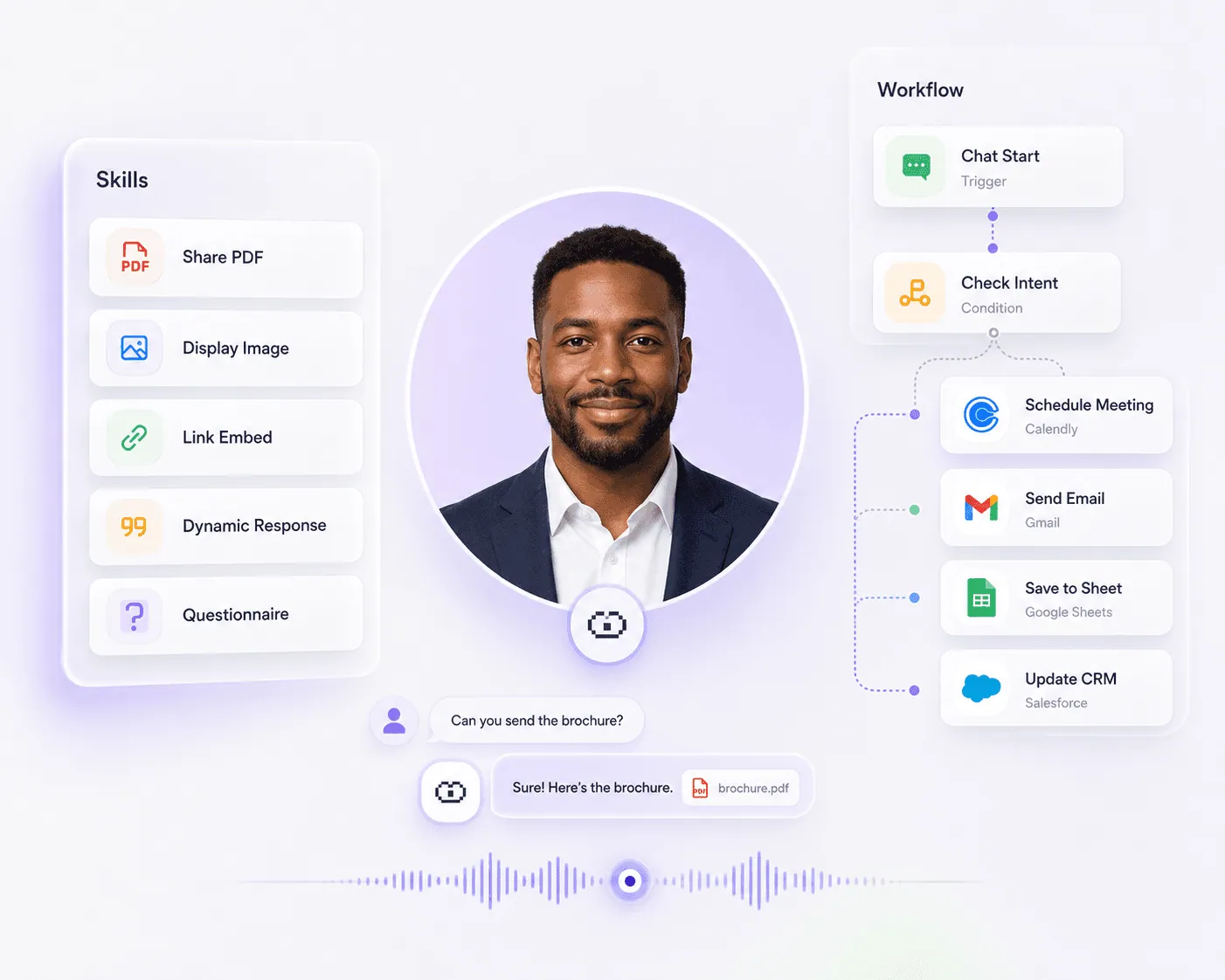
Give your Double the ability to share files, show content, ask questions, book meetings, send emails, update systems, and run controlled workflows when visitors show intent.
Launching in phases. Limited access.
Live · live
CAPABILITIES
Make your Double do things, not just answer questions
A conversation should not end with “let me get back to you.” Actions let your Double respond, trigger tools, move data, and guide people through the next step.
CONVERSATION SKILLS
Give your Double things it can do
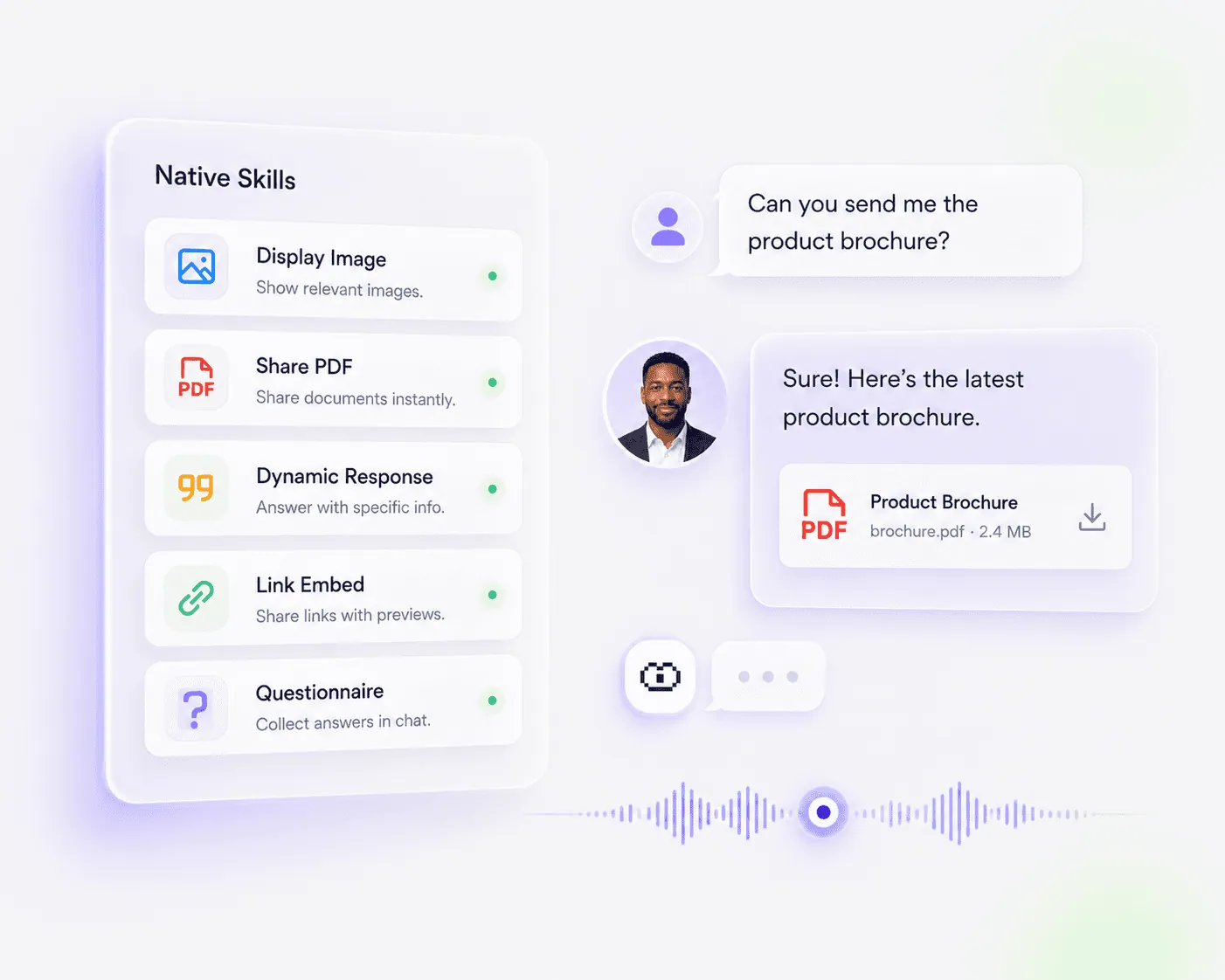
Skills are individual actions your Double can trigger during a conversation. Use them to show the right asset, collect information, or respond with something specific.
Share PDFs, images, links, and social content
Run questionnaires, forms, and guided intake
Trigger skills from keywords, intent, or quick actions
APP ACTIONS
Connect the apps behind the next step
When a visitor is ready, your Double can connect to the tools that move work forward, from scheduling and email to sheets, CRMs, and internal systems.
Book meetings with Calendly or Google Calendar
Send emails and follow-ups through Gmail
Update Sheets, CRM records, or external tools through workflows
WORKFLOW BUILDER
Chain actions into controlled flows
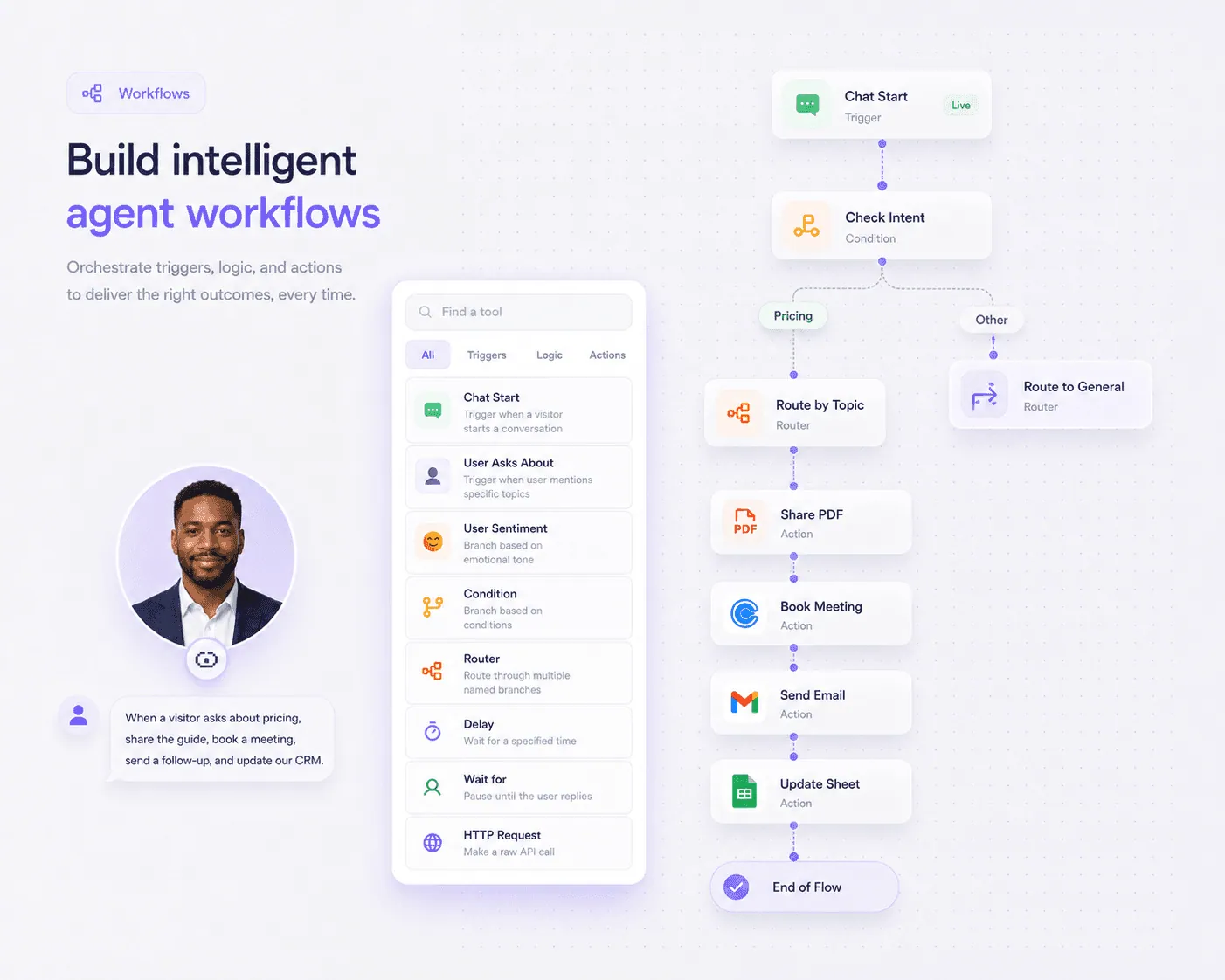
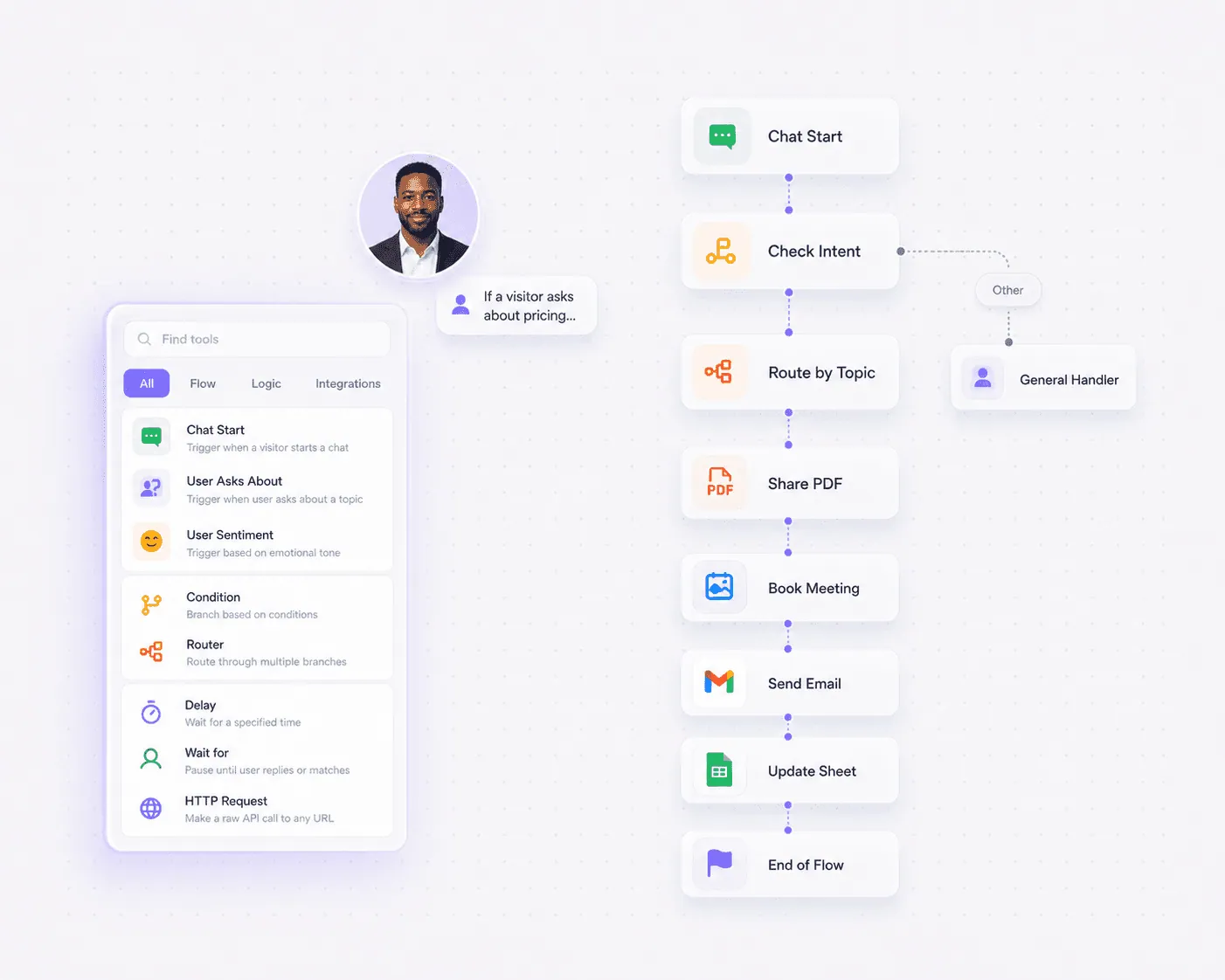
Workflows let you combine triggers, skills, apps, conditions, and logic so your Double behaves predictably instead of taking random one-off actions.
Start flows from chat start, chat end, topics, questions, sentiment, or responses
Branch with conditions, routers, waits, delays, code, and API calls
Qualify, capture, update, follow up, and route in the right order
POWERFUL FEATURES
Everything you need to automate the next step
Use simple skills for quick actions, or build workflows when a conversation needs structure, timing, logic, and system updates.
Native Skills
Trigger built-in actions like displaying images, sharing PDFs, embedding links, showing social content, or sending a dynamic response.
Questionnaires
Collect structured responses for lead qualification, interviews, surveys, support intake, feedback, and onboarding flows.
App Skills
Connect useful apps like Calendly, Gmail, Google Calendar, Google Sheets, Salesforce, Zoho CRM, and more.
Conversation Triggers
Start actions when a chat begins, a chat ends, a visitor asks about something, mentions a topic, shows sentiment, or receives a specific response.
Conditions and Routers
Branch workflows based on context, user intent, answers, lead quality, topics, or custom rules.
Waits and Delays
Pause until a visitor replies, wait for expected input, or delay a step before sending the next action.
Code and API Calls
Run custom JavaScript or make HTTP requests when your workflow needs to connect with internal systems or custom logic.
CRM and Sheet Updates
Use workflows to update CRMs, append rows, add notes, log activity, or sync important details after the right context is captured.
Act, don't just talk.
Let your Double move from response to result with skills, tools, apps, and workflows that act when the visitor is ready.
Launching in phases. Limited access.
BENEFITS
Give every conversation a clear next step
Actions help your Double turn visitor intent into something useful, like a booked meeting, shared asset, captured lead, completed form, or updated system.
Fewer dead-end conversations
Do not let interested visitors disappear after asking a question. Give them the right file, form, demo, meeting link, or follow-up instantly.
More controlled agent behavior
Use workflows to decide when actions happen, what comes first, what should be checked, and where information should go.
Less manual admin work
Capture context once, then send emails, book meetings, update sheets, log CRM activity, and route follow-ups without doing everything manually.
You might have some questions!
Everything you need to know about Actions, Skills, and Workflows.
What are Actions in The Double?
Actions are what let your Double do things beyond answering questions. They include skills, app actions, and workflows that can share resources, collect information, book meetings, send emails, update systems, and trigger next steps.
What is the difference between Skills and Workflows?
Skills are individual actions your Double can perform, like sharing a PDF or running a questionnaire. Workflows are multi-step flows where multiple actions, apps, triggers, conditions, and logic are connected in sequence.
What kinds of skills can I create?
You can create skills for displaying images, sharing PDFs, embedding links, surfacing social content, sending dynamic responses, and running questionnaires or structured forms.
What can trigger a workflow?
A workflow can start from events such as chat start, chat end, a visitor asking about a topic, a visitor mentioning something, sentiment, a specific Double response, or other configured triggers.
Can Actions connect with apps?
Yes. Actions can connect with tools such as Calendly, Gmail, Google Calendar, Google Sheets, Salesforce, Zoho CRM, and other apps depending on your setup.
Why should CRM updates be handled inside workflows?
CRM updates usually need context first. A workflow lets your Double qualify the visitor, collect the right details, confirm intent, and then update the CRM at the right step instead of writing incomplete data too early.
Can I use Actions on my website agent?
Yes. A Website Agent can use Actions to answer questions, share resources, trigger demos, capture leads, book meetings, send follow-ups, and move visitors into workflows.
Ready to make your Double take action?
Create skills for quick actions and workflows for controlled automation across conversations, apps, and business systems.