Demo Agent

Turn your decks into live product demos

Let your Double present slides, explain your product, answer questions, share resources, and guide visitors through a demo without making them wait for a sales call.

Build Your First Double

Launching in phases. Limited access.

a voice agent visualisation
Demo Agent

Turn your decks into live product demos

Let your Double present slides, explain your product, answer questions, share resources, and guide visitors through a demo without making them wait for a sales call.

Build Your First Double

Launching in phases. Limited access.

a voice agent visualisation
Demo Agent

Turn your decks into live product demos

Let your Double present slides, explain your product, answer questions, share resources, and guide visitors through a demo without making them wait for a sales call.

Build Your First Double

Launching in phases. Limited access.

a voice agent visualisation

CAPABILITIES

From static decks to interactive demos

Most decks are passive. Most videos are one-way. The Double turns your product material into a guided demo experience that can speak, explain, answer, and move visitors forward.

LIVE PRESENTATIONS

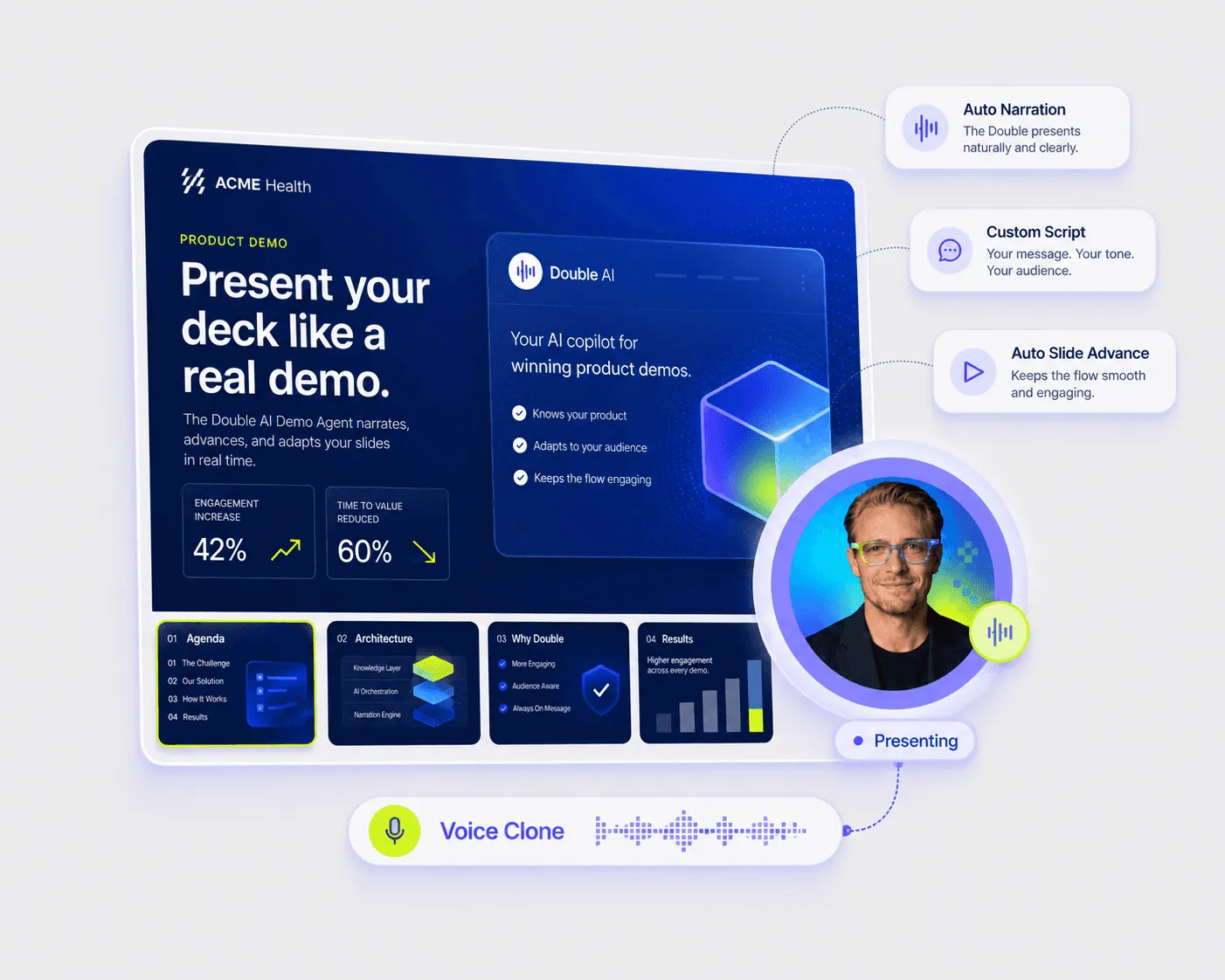
Present your deck like a real demo

Upload your slides and let your Double walk visitors through them in a clear, guided flow. It can explain each section, introduce key ideas, and keep the demo moving.

  • Upload pitch decks, product decks, and brochures

  • Guide visitors slide by slide

  • Use voice to make the demo feel live
LIVE PRESENTATIONS

Present your deck like a real demo

Upload your slides and let your Double walk visitors through them in a clear, guided flow. It can explain each section, introduce key ideas, and keep the demo moving.

  • Upload pitch decks, product decks, and brochures

  • Guide visitors slide by slide

  • Use voice to make the demo feel live
DEMO Q&A

Answer questions while presenting

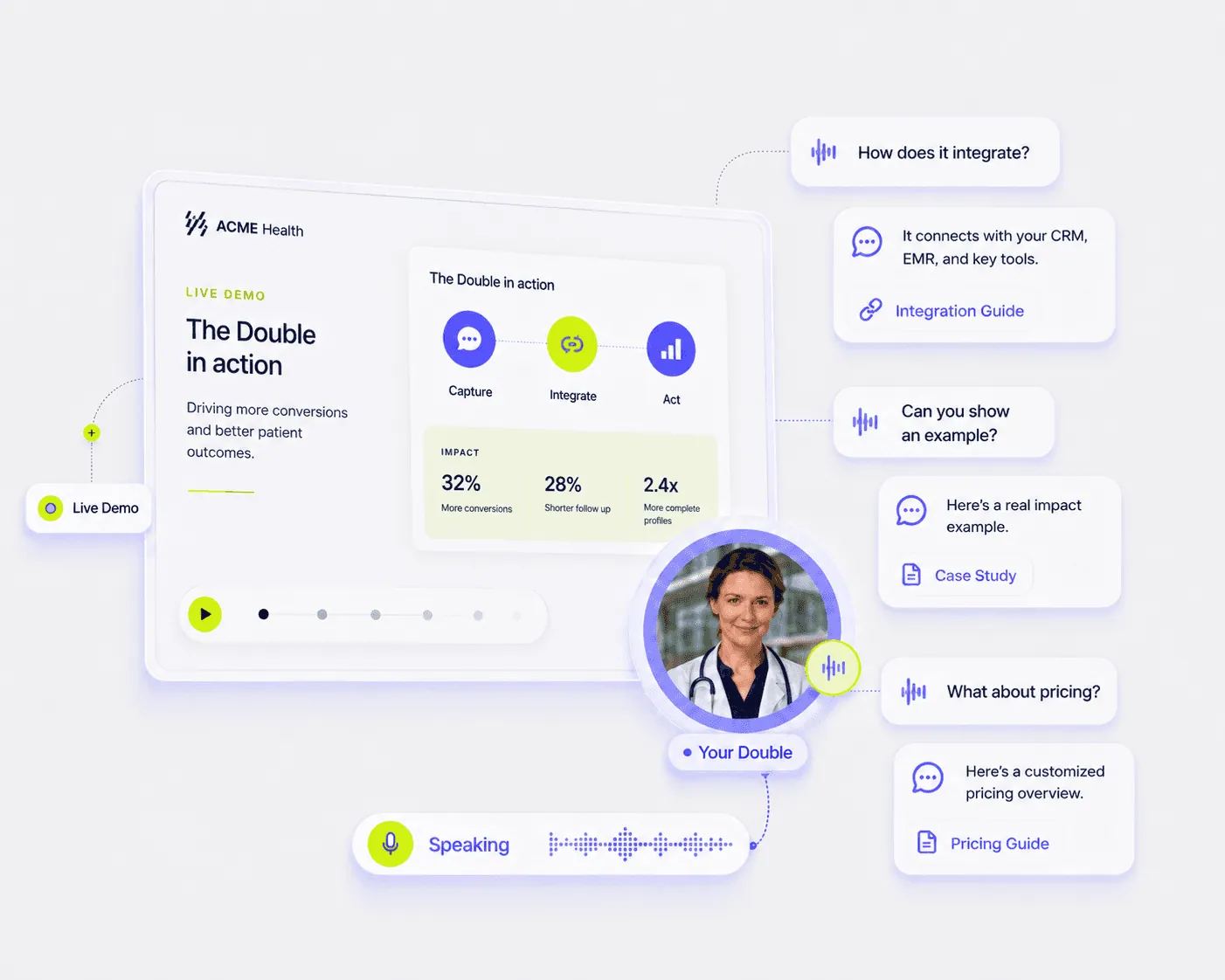
Visitors should not have to wait until the end of a demo to ask questions. Your Double can clarify doubts, explain features, and respond using your connected knowledge.

  • Answer questions during the demo

  • Explain product details with context

  • Handle pricing, use cases, FAQs, and objections

DEMO Q&A

Answer questions while presenting

Visitors should not have to wait until the end of a demo to ask questions. Your Double can clarify doubts, explain features, and respond using your connected knowledge.

  • Answer questions during the demo

  • Explain product details with context

  • Handle pricing, use cases, FAQs, and objections

DEMO ACTIONS

Move interested visitors to the next step

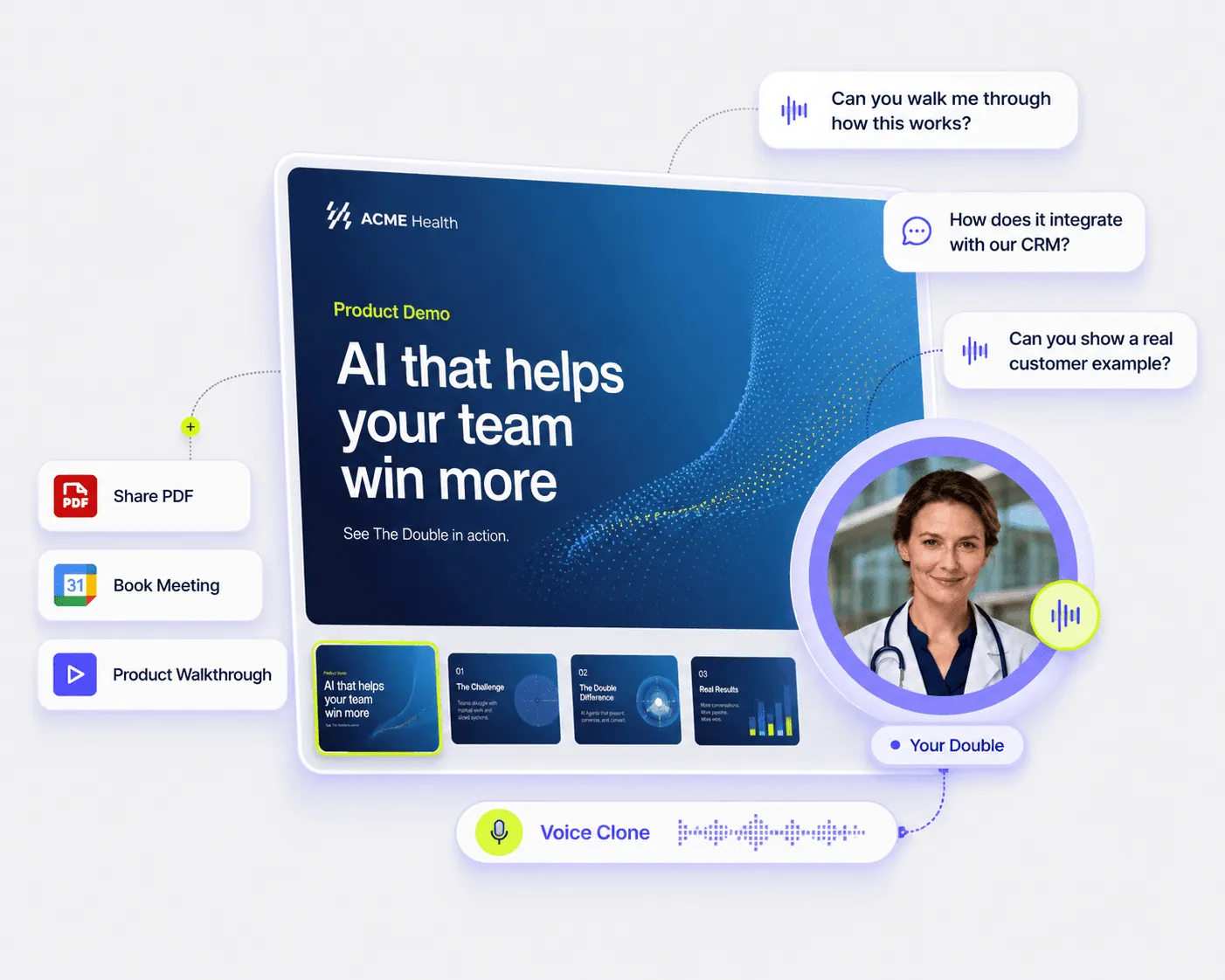
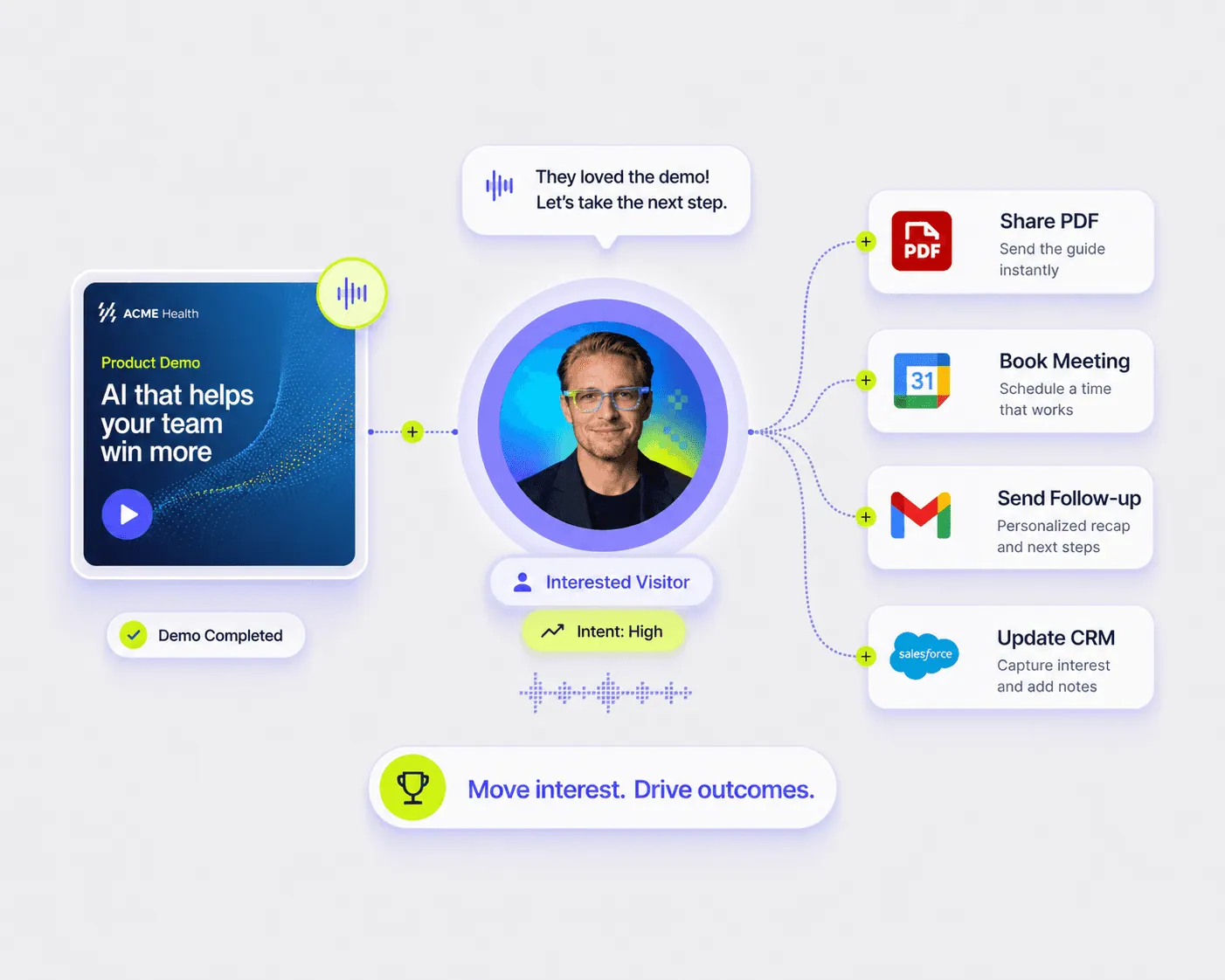
A good demo should lead somewhere. Your Double can qualify interest, share links, collect details, book meetings, send follow-ups, or route visitors into the right workflow.

  • Capture leads and demo intent

  • Share PDFs, links, and product resources

  • Book meetings or trigger follow-up actions

DEMO ACTIONS

Move interested visitors to the next step

A good demo should lead somewhere. Your Double can qualify interest, share links, collect details, book meetings, send follow-ups, or route visitors into the right workflow.

  • Capture leads and demo intent

  • Share PDFs, links, and product resources

  • Book meetings or trigger follow-up actions

POWERFUL FEATURES

Everything you need to run demos without being in the room

Give prospects a guided product experience they can start anytime, from your website, sales page, pitch deck, or shared demo link.

Website Demo Agent

Bring your demo experience into a product page, landing page, sales page, or website section.

Website Demo Agent

Bring your demo experience into a product page, landing page, sales page, or website section.

Unique Demo Link

Host every demo on a unique link that can be shared directly, embedded on your website, or opened from your Double page.

Unique Demo Link

Host every demo on a unique link that can be shared directly, embedded on your website, or opened from your Double page.

Auto and Custom Narration Scripts

Automatically generate narration from your slide content, or add custom scripts for tighter control over the demo flow.

Auto and Custom Narration Scripts

Automatically generate narration from your slide content, or add custom scripts for tighter control over the demo flow.

Auto Slide Advance

Move through slides automatically while your Double explains each section with structure, context, and flow.

Auto Slide Advance

Move through slides automatically while your Double explains each section with structure, context, and flow.

Demo Triggers

Start a demo when visitors ask for a deck, product walkthrough, pricing, slides, or a specific use case.

Demo Triggers

Start a demo when visitors ask for a deck, product walkthrough, pricing, slides, or a specific use case.

Resource Sharing

Share PDFs, links, brochures, case studies, videos, and other useful assets during the conversation.

Resource Sharing

Share PDFs, links, brochures, case studies, videos, and other useful assets during the conversation.

Voice Narration

Use a preset or cloned voice to make demos feel more personal and engaging.

Voice Narration

Use a preset or cloned voice to make demos feel more personal and engaging.

Knowledge-Aware Answers

Connect your demo to product docs, FAQs, pricing notes, case studies, and other knowledge sources.

Knowledge-Aware Answers

Connect your demo to product docs, FAQs, pricing notes, case studies, and other knowledge sources.

Your best demo should not depend on your calendar.

Turn your product deck into a live, guided experience that explains, answers, qualifies, and converts.

Create Your Demo Double

Launching in phases. Limited access.

Your best demo should not depend on your calendar.

Turn your product deck into a live, guided experience that explains, answers, qualifies, and converts.

Create Your Demo Double

Launching in phases. Limited access.

Your best demo should not depend on your calendar.

Turn your product deck into a live, guided experience that explains, answers, qualifies, and converts.

Create Your Demo Double

Launching in phases. Limited access.

BENEFITS

Let every visitor experience your product properly

Most people skim a deck, skip a video, or leave before booking a call. The Double gives them a demo they can actually interact with.

More demos without more calls

Let visitors explore your product anytime, even when your sales, founder, or demo team is unavailable.

More demos without more calls

Let visitors explore your product anytime, even when your sales, founder, or demo team is unavailable.

More demos without more calls

Let visitors explore your product anytime, even when your sales, founder, or demo team is unavailable.

Better product & process understanding

Give users a guided walkthrough instead of leaving them to interpret slides, pages, or videos on their own.

Better product & process understanding

Give users a guided walkthrough instead of leaving them to interpret slides, pages, or videos on their own.

Higher-intent conversations

Capture what people asked, what they cared about, and whether they are ready for a follow-up.

Higher-intent conversations

Capture what people asked, what they cared about, and whether they are ready for a follow-up.

You might have some questions!

Everything you need to know about creating interactive demos with The Double.

What is an Interactive Demo in The Double?

An Interactive Demo lets your Double present product material, explain slides, answer questions, share resources, and guide visitors through a demo-like experience.

Can I upload my own deck?

Yes. You can use product decks, pitch decks, brochures, case studies, sales material, or other presentation-style content as part of your demo experience.

Can visitors ask questions during the demo?

Yes. Visitors can ask questions while the demo is happening. Your Double can answer using the knowledge, instructions, and sources you have connected.

Can the demo use voice?

Yes. Your Double can present and respond using voice, making the experience feel closer to a live walkthrough than a static deck or recorded video.

Can I use this on my website?

Yes. You can use the demo through a shared Double link or embed it into a website, landing page, or product page depending on your setup.

Can I update knowledge later?

Yes. You can add new sources, remove outdated content, edit custom text, replace old documents, and improve your Double’s answers over time.

Can the demo capture leads?

Yes. Your Double can capture visitor details, understand their intent, and help move qualified visitors toward the next step.

Ready to make your demo interactive?

Ready to make your demo interactive?

Build a Demo Double that presents your product, answers questions, captures intent, and helps visitors take the next step.

Build a Demo Double that presents your product, answers questions, captures intent, and helps visitors take the next step.