Channel · Facebook · Chrome extension

Friendly, useful replies on Facebook.

With the Chrome extension, your Double suggests replies in Messenger and comments on posts, written from what you know and in your voice. You choose what to send.
Friendly, useful replies on Facebook.
  • Agent page and website
  • WhatsApp Business
  • Google Meet
  • Gmail (preview)
  • Slack
  • Instagram
  • Phone
Your channels Your tools
  • Google Calendar
  • Google Sheets
  • Salesforce
  • HubSpot
  • Zoho CRM
  • Claude
  • ChatGPT

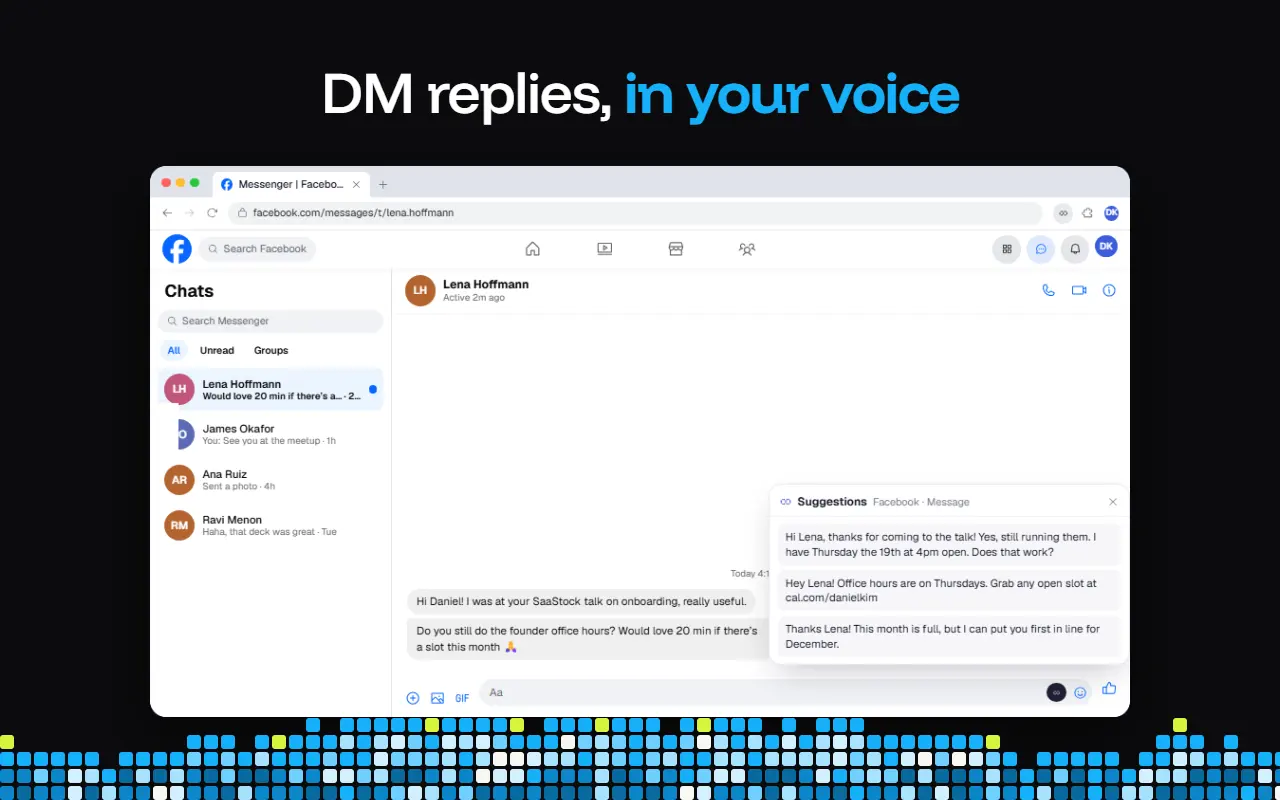
One click in Messenger.

Press the Double button in a message or comment box. Three suggestions appear: pick one, edit it, send it.
The Double for Chrome suggesting Messenger replies and post comments on Facebook
Suggestions · Facebook · MessageThe real extension in Messenger, from its Chrome Web Store listing.
  1. 01Press the Double buttonIn any message box.
  2. 02Pick a suggestionThree options in your voice.
  3. 03Send it yourselfNothing goes out without you.

Where it helps on Facebook.

Messenger enquiries

Your Double suggests warm, accurate replies.

Booking requests

Your Double suggests replies with your booking link.

Saying no nicely

Your Double suggests kind replies when you’re fully booked.

Questions on your posts

Your Double suggests helpful comment replies.

Group discussions

Your Double suggests comments for posts in your groups.

Follow-ups after events

Your Double suggests Messenger replies to new contacts.

You stay in control.

You decide

Suggestions, not autopilot

You pick, edit and send. It never posts for you.

Suggestion

Your knowledge and voice

Suggestions sound like you and know your work.

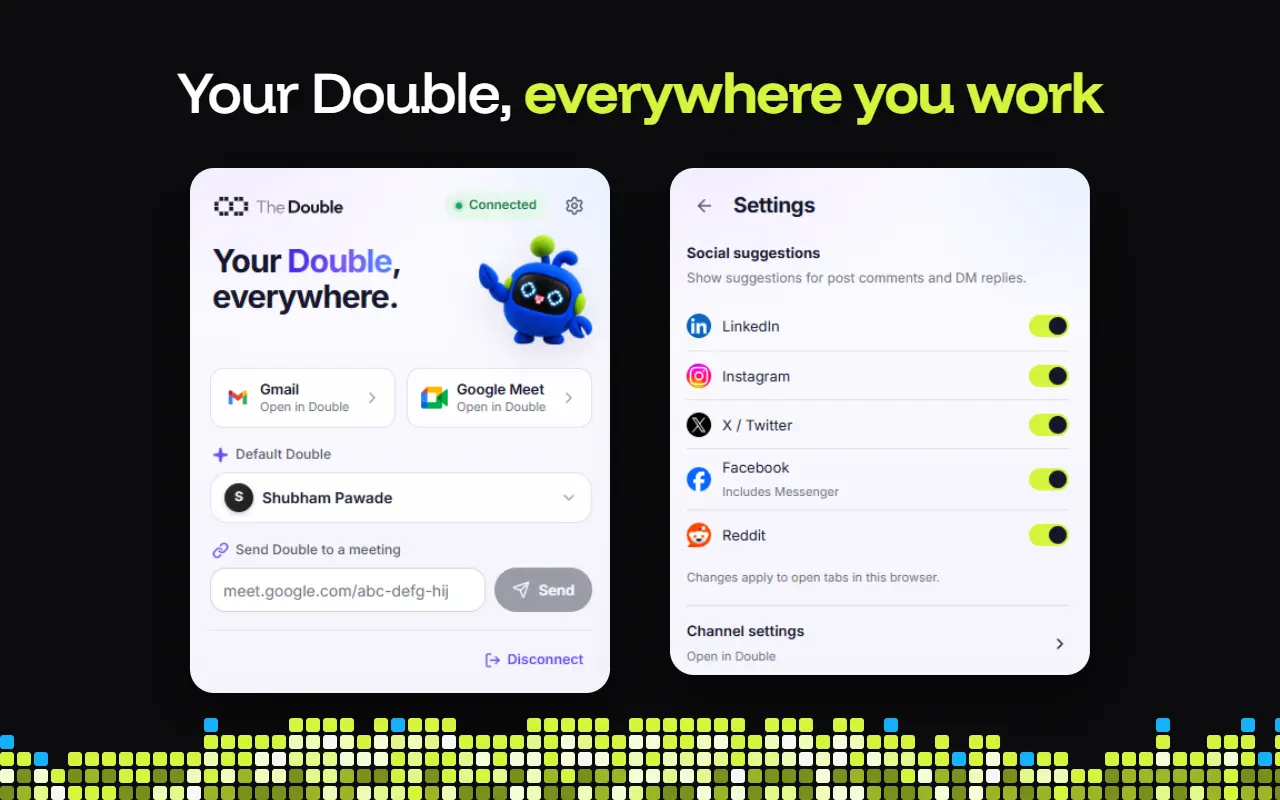
Settings

A switch for Facebook

Turn Facebook on or off in Social suggestions.

Browser

Lives in chrome

Works in your Facebook tabs in Google Chrome.

Get started in three steps.

Set it up once, and suggestions appear in your Facebook tabs.
  1. STEP 1

    Add it to Chrome

    Install it from the Chrome Web Store.
  2. STEP 2

    Choose your Double

    Sign in and pick whose voice it uses.
  3. STEP 3

    Switch on Facebook

    Turn it on in Social suggestions.
  4. STEP 4

    Press, pick, send

    Use the Double button on Facebook.
Add to Chrome
The Double for Chrome: connected, a default Double chosen, and Facebook switched on under Social suggestions
The extension’s popup and settings, from its Chrome Web Store listing.

You might have some questions

Does it post or comment for me?

No. It suggests replies and comments. Nothing is sent until you pick one and send it yourself.

What does it suggest on Facebook?

Replies in Messenger and comments on posts, written from your Double’s knowledge and in your voice.

How do I turn it on?

Add the extension to Chrome, connect your Double, and switch on Facebook (it includes Messenger) under Social suggestions in its settings.

Which browser does it need?

Google Chrome. It works in the Facebook and Messenger tabs you have open there.

Never leave a message on read.

Add the Chrome extension and switch on Facebook.