



We cut onboarding from 14 days to 3. The biggest unlock wasn’t tooling. It was letting customers book their own kickoff call. Full teardown below 👇
Your expertise, in every LinkedIn reply.
With the Chrome extension, your Double suggests replies to your LinkedIn messages and comments on posts, written from what you know and in your voice. You choose what to send.
One click in your LinkedIn inbox.
SearchHomeMy NetworkJobsMessagingNotificationsHi Daniel, we’re choosing an onboarding tool for our 40-person CS team. Does Northwind work with HubSpot, and roughly what would it cost us?
- 01Press the Double buttonIn any message box.
- 02Pick a suggestionThree options in your voice.
- 03Send it yourselfNothing goes out without you.
Where it helps on LinkedIn.
Prospect messages
Your Double suggests replies about pricing or integrations.
Introductions
Your Double suggests replies to intro requests.
After events
Your Double suggests personal follow-ups to new connections.
Recruiter and partner notes
Your Double suggests polite yes, not-now or no replies.
Expert comments
Your Double suggests comments drawn from what you know.
Your own threads
Your Double suggests replies to comments on your posts.
You stay in control.
Suggestions, not autopilot
You pick, edit and send. It never posts for you.
Your knowledge and voice
Suggestions sound like you and know your work.
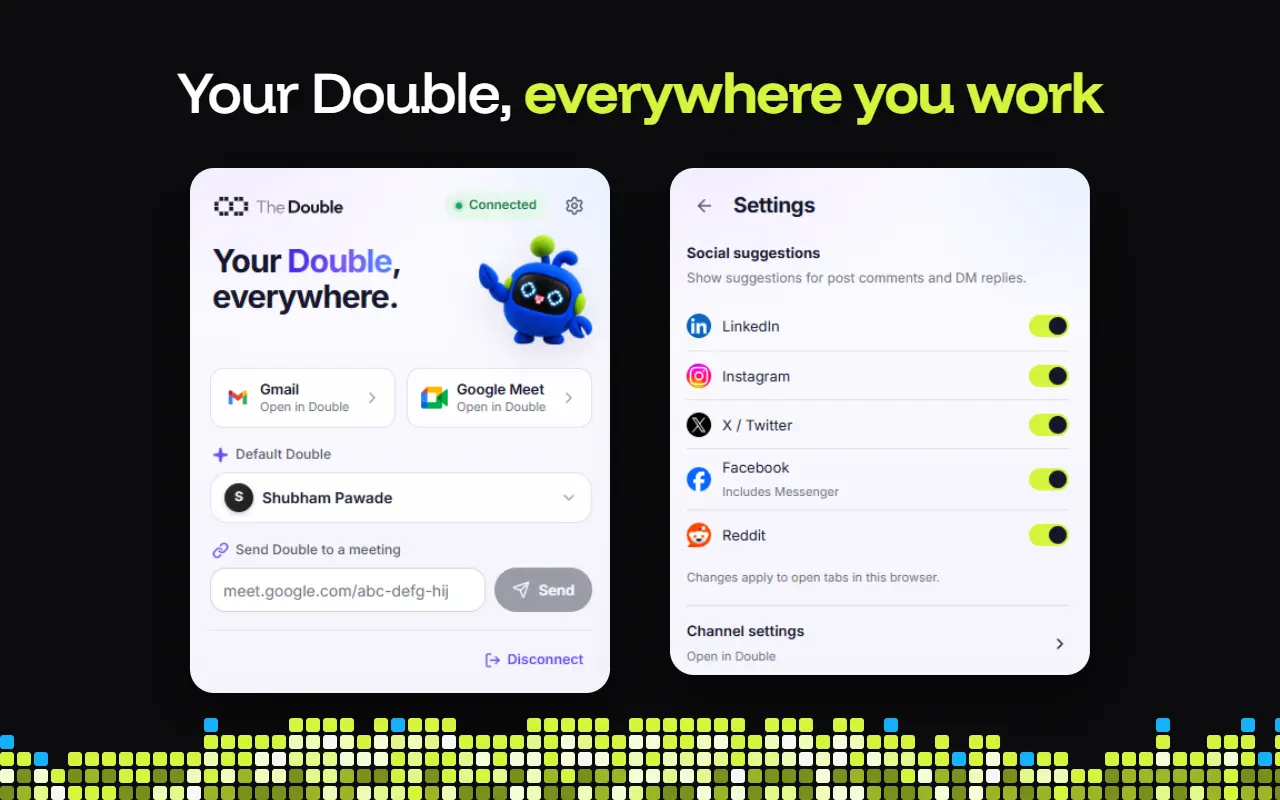
A switch for LinkedIn
Turn LinkedIn on or off in Social suggestions.
Lives in chrome
Works in your LinkedIn tabs in Google Chrome.
Get started in three steps.
STEP 1
Add it to Chrome
Install it from the Chrome Web Store.STEP 2
Choose your Double
Sign in and pick whose voice it uses.STEP 3
Switch on LinkedIn
Turn it on in Social suggestions.STEP 4
Press, pick, send
Use the Double button on LinkedIn.

You might have some questions
Does it post or comment for me?
No. It suggests replies and comments. Nothing is sent until you pick one and send it yourself.
What does it suggest on LinkedIn?
Replies to your messages and comments on posts, written from your Double’s knowledge and in your voice.
How do I turn it on?
Add the extension to Chrome, connect your Double, and switch on LinkedIn under Social suggestions in its settings.
Which browser does it need?
Google Chrome. It works in the LinkedIn tabs you have open there.